Nightingale is to monitoring and alerting what Grafana is to visualization.
Default credential : root / root.2020
Nightingale is an open-source monitoring project that focuses on alerting. Similar to Grafana, Nightingale also connects with various existing data sources.
However, while Grafana emphasizes visualization, Nightingale places greater emphasis on the alerting engine, as well as the processing and distribution of alarms.
How Nightingale Works
Many users have already collected metrics and log data. In this case, you can connect your storage repositories (such as VictoriaMetrics, ElasticSearch, etc.) as data sources in Nightingale. This allows you to configure alerting rules and notification rules within Nightingale, enabling the generation and distribution of alarms.
Nightingale itself does not provide monitoring data collection capabilities. We recommend using Categraf as the collector, which integrates seamlessly with Nightingale.
Categraf can collect monitoring data from operating systems, network devices, various middleware, and databases. It pushes this data to Nightingale via the Prometheus Remote Write protocol. Nightingale then stores the monitoring data in a time-series database (such as Prometheus, VictoriaMetrics, etc.) and provides alerting and visualization capabilities.
For certain edge data centers with poor network connectivity to the central Nightingale server, we offer a distributed deployment mode for the alerting engine. In this mode, even if the network is disconnected, the alerting functionality remains unaffected.
Alert Noise Reduction, Escalation, and Collaboration
Nightingale focuses on being an alerting engine, responsible for generating alarms and flexibly distributing them based on rules. It supports 20 built-in notification medias (such as phone calls, SMS, email, DingTalk, Slack, etc.).
If you have more advanced requirements, such as:
Want to consolidate events from multiple monitoring systems into one platform for unified noise reduction, response handling, and data analysis.
Want to support personnel scheduling, practice on-call culture, and support alert escalation (to avoid missing alerts) and collaborative handling.
Then Nightingale is not suitable. It is recommended that you choose on-call products such as PagerDuty and FlashDuty. These products are simple and easy to use.
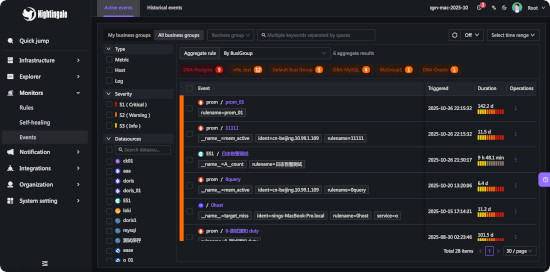
Nightingale archives historical alarms and supports multi-dimensional query and statistics.
It supports flexible aggregation grouping, allowing a clear view of the distribution of alarms across the company.
Nightingale Integration Center
Nightingale has built-in metric descriptions, dashboards, and alerting rules for common operating systems, middleware, and databases, which are contributed by the community with varying quality.
It directly receives data via multiple protocols such as Remote Write, OpenTSDB, Datadog, and Falcon, integrates with various Agents.
It supports data sources like Prometheus, ElasticSearch, Loki, ClickHouse, MySQL, Postgres, allowing alerting based on data from these sources.
Nightingale can be easily embedded into internal enterprise systems (e.g. Grafana, CMDB), and even supports configuring menu visibility for these embedded systems.
Nightingale dashboards
Nightingale supports dashboard functionality, including common chart types, and comes with pre-built dashboards. The image above is a screenshot of one of these dashboards.
If you are already accustomed to Grafana, it is recommended to continue using Grafana for visualization, as Grafana has deeper expertise in this area.
For machine-related monitoring data collected by Categraf, it is advisable to use Nightingale’s built-in dashboards for viewing. This is because Categraf’s metric naming follows Telegraf’s convention, which differs from that of Node Exporter.
Due to Nightingale’s concept of business groups (where machines can belong to different groups), there may be scenarios where you only want to view machines within the current business group on the dashboard. Thus, Nightingale’s dashboards can be linked with business groups for interactive filtering.
Last update: 12 October 2026