

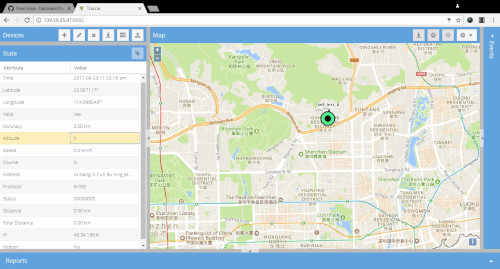
Traccar is an open source GPS tracking system. This repository contains Java-based back-end service. It supports more than 200 GPS protocols and more than 2000 models of GPS tracking devices. Traccar can be used with any major SQL database system. It also provides easy to use REST API.
Other parts of Traccar solution include:
There is also a set of mobile apps that you can use for tracking mobile devices:
Features
Some of the available features include:
- Real-time GPS tracking
- Driver behaviour monitoring
- Detailed and summary reports
- Geofencing functionality
- Alarms and notifications
- Account and device management
- Email and SMS support
TIP ME !
Your gratitude and finances will help me to continue the integration of this QPKG and maintain up-to-date versions.
Your gratitude and finances will help me to continue the integration of this QPKG and maintain up-to-date versions.

Last update: 27 September 2026




nelik –
When TRACCAR 5.9?
QoolBox –
thanks to make request on the Discord Channel …
QoolBox –
it has been updated today
nelik –
When traccar 6.3?
QoolBox –
thanks to do updated request on Discord Channel
nelik –
Remeber: Note that you need to have Java 21 or higher available on your system.
nelik –
Fix for Traccar QPKG startup issue on QNAP (UnsupportedClassVersionError / QJDK21)
If your updated Traccar QPKG fails to start or gets stuck on the loading spinner (port 8082), the issue is a Java version mismatch.
The Problem:
The new Traccar version requires Java 21 (class file version 65.0), but the QPKG startup script is hardcoded to use Java 18 (QJDK18). You will see this in the logs:
“java.lang.UnsupportedClassVersionError: org/traccar/Main has been compiled by a more recent version of the Java Runtime”
How to fix it:
1. Install QJDK21 on your QNAP (via App Center or MyQNAP).
2. Log in via SSH and run this command to automatically update the startup script from QJDK18 to QJDK21:
sed -i ‘s/QJDK18/QJDK21/g’ /etc/init.d/traccar.sh
3. Restart the service:
/etc/init.d/traccar.sh restart
You can monitor the live boot log using:
tail -f /share/CACHEDEV1_DATA/.qpkg/traccar/logs/tracker-server.log
Gordon –
Thank you Nelik! I managed to fix my Traccar with your suggestions but just after I tried to reinstall it so all data lost 😉
BENIO –
Welcome i upgrade traccar and not works. No log no anything. I try reinstall but still traccar not works. Adittionally i try roll back version but no resolve problem. Any ideas?