

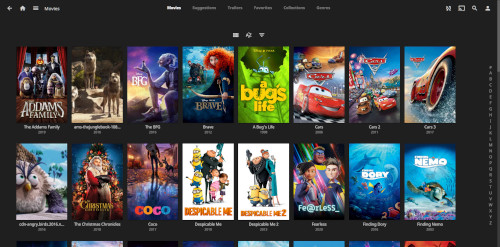
Desktop client using jellyfin-web with embedded MPV player.
TIP ME !
Your gratitude and finance will help me to continue integration of this QPKG and maintain up to date versions.
Your gratitude and finance will help me to continue integration of this QPKG and maintain up to date versions.

Last update: 28 September 2026




jason –
there is new version on the github, can you help us to update it
QoolBox –
all HDStation QPKG are delayed due HDStation will be updated to ubuntu 2204
thomas-5230 –
I love this package, however, the HW-acceleration does not work due libva version mismatch (1.14) with the iHD driver version 25.1.4 that is installed in the HD-Station. The iHD driver is asking for libva 1.22, but the bundled libmpv (embedded mpv-player) is calling the, as well bundled, libva 1.14 instead. I took me a while to discover how to override this bevaviour: Make sure
you are modifying the “startup_JMP.sh” script in “/opt/startup_shell” as follows:
#adding /usr/lib/x86_64-linux-gnu to the matching libraries of the intel driver
export LD_LIBRARY_PATH=$QPKG_DIR/lib_elf:$QPKG_DIR/lib:/usr/lib/x86_64-linux-gnu:$LD_LIBRARY_PATH
#specifing the path to the matching libva driver in HD-Station
export LIBVA_DRIVERS_PATH=/usr/lib/x86_64-linux-gnu/dri
#the most important step: overriding the bundled libmpv calling the wrong libva, the sort of order is important to resolve dependencies
export LD_PRELOAD=”/usr/lib/x86_64-linux-gnu/libva.so.2:/usr/lib/x86_64-linux-gnu/libva-drm.so.2:Usr/lib/x86_64-linux-gnu/libva-x11.so.2″
#select the correct driver for your hardware, iHD or i965 (HS-264 = iHD)
export LIBVA_DRIVER_NAME=iHD
This solved the log reporting “iHD driver has no function” for me and reuces the CPU-load down to <15% for a 720p HD-movie.
Hoping that helps others to solve it as well, and this is a suggestion for QoolBox for updating the package.
Specifically important as we cannot expect any HD-Station 4 upgrade from Qnap, so we are stuck with Ubuntu 18.04.6
Mark76 –
Any.chance.of.an update. No longer works with jellyfin 12.1 server. Thanks