
Smart Gym Workout Manager & MCP Server
SpeedianceQ6 brings Speediance Smart Gym workout management to your QNAP NAS, combining two open-source applications into a single native QPKG package.
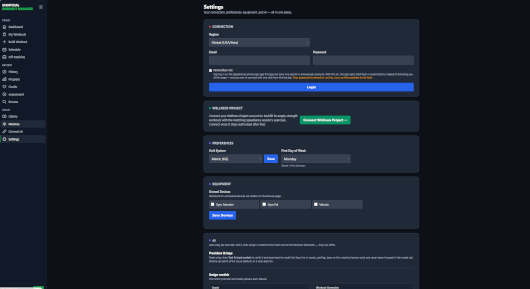
Track your workout history, monitor fitness progress, manage training routines, analyze exercise performance, and access detailed workout statistics through a convenient web interface.
The package also includes an optional Model Context Protocol (MCP) server, allowing compatible AI assistants to interact with your Speediance workout data.
Features include workout history and statistics, exercise and training management, performance tracking, workout journals, AI integration through MCP, password-protected administration, customizable network ports, and persistent SQLite storage.
SpeedianceQ6 runs natively without Docker or Container Station.
System Requirements:
Minimum firmware: QTS 6.0 or QuTS hero h6.0
Supported architectures: x86_64 (Intel/AMD) and ARM64 (aarch64)
Required dependency: QMultimedia-Q6
A Speediance account and internet connectivity are required to synchronize workout data with Speediance cloud services.
Quick Start:
Install QMultimedia-Q6, then install SpeedianceQ6 from QNAP App Center.
Open http://NAS-IP:14391 in your browser.
During the first launch, retrieve your one-time setup token from /opt/SpeedianceQ6/logs/bootstrap.log and create your administrator password.
Log in, configure your Speediance account, and start exploring your workout data.
The web interface uses port 14391 by default. The optional MCP server uses port 14392 and is disabled by default. Both ports are configurable.
Configuration and workout data are preserved across package updates.
Original Projects:
Speediance SmartGym Workout Manager:
https://github.com/labatt/speediance-smartgym-workout-manager
Speediance MCP:
https://github.com/labatt/speediance-mcp
Last update: 12 October 2026