

AdGuard Home — Native QNAP Edition
Block ads, trackers and unwanted domains across your entire network, directly from your QNAP NAS.
AdGuard Home is a powerful, open-source, network-wide DNS filtering solution that protects all connected devices without requiring additional software on each client.
This native QNAP edition includes a dedicated web-based setup and management portal, designed to simplify deployment while preserving QNAP’s internal DNS services.
Key Features
- Native QNAP integration — Runs directly on QTS and QuTS hero, without Docker or Container Station.
- Dedicated Setup Wizard — Configure DNS interfaces, administration ports, credentials and language through a user-friendly web interface.
- Multi-LAN support — Select specific NAS IP addresses for DNS services, including multiple network interfaces.
- QNAP DNS protection — Preserves the built-in dnsmasq service, NAS DNS resolution and internal network configuration.
- Network-wide filtering — Block advertisements, trackers, malicious domains and unwanted DNS requests.
- Customizable DNS protection — Manage filtering lists, upstream DNS servers, DNS rewrites and client-specific settings through AdGuard Home.
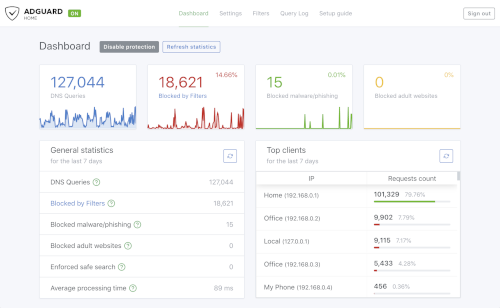
- Administration dashboard — Monitor service status, PID, uptime and version.
- Service management — Restart AdGuard, view logs and access the native AdGuard Home administration interface.
- Automatic update support — Detect AdGuard Home binary version changes and synchronize the version displayed in QNAP App Center.
- Configuration preservation — Retain users, filters, DNS settings and persistent data during supported package upgrades.
- QuLog Center integration — Receive service events and initial authorization-token notifications.
- Multilingual setup portal — English and French.
- Static Go management portal — Lightweight native executables for x86_64, ARM64 and ARMHF.
Network Configuration
| Service | Default port |
|---|---|
| QNAP setup and management portal | TCP 23555 |
| AdGuard Home administration | TCP 23556 |
| AdGuard DNS | TCP/UDP 53 |
| QNAP internal dnsmasq | TCP/UDP 53, on separate IP addresses |
Unlike traditional installations, this QNAP edition allows AdGuard Home and the NAS’s internal dnsmasq service to operate on the same DNS port using different listening IP addresses.
No modification of QNAP’s dnsmasq.conf, resolv.conf or system routing configuration is required.
First Installation
- Install the QPKG using QNAP App Center.
- Open AdGuard Home from App Center.
- Select the LAN IP addresses that should provide DNS filtering.
- Configure the administration port and administrator credentials.
- Authorize the initial setup using the token delivered through QuLog Center.
- Complete the configuration and open the AdGuard Home dashboard.
- Configure your network devices or router to use the selected NAS LAN IP address as their DNS server.
The QNAP setup portal remains available independently of the AdGuard Home administration interface.
Compatibility
- Architectures: Intel/AMD x86_64, ARM64 and ARMHF.
- Platform: QNAP QTS / QuTS hero, subject to firmware and architecture validation.
- Dependencies: No Docker or external runtime required for the native Go setup portal.
- License: GPL-3.0.
- Maintainer: QoolBox.
Release Information
QPKG development version: 1.0.0.23 (r23)
The QPKG build version and AdGuard Home’s upstream software version are maintained independently. AdGuard Home supports updating its own executable.
The r23 package is currently a development/QDK source bundle. Final QPKG packaging, security verification and on-device compatibility testing are required before public distribution.
Official Links
- Official website: https://adguard.com/en/adguard-home/overview.html
- Source code: https://github.com/AdguardTeam/AdGuardHome
- Releases: https://github.com/AdguardTeam/AdGuardHome/releases
- License: https://github.com/AdguardTeam/AdGuardHome/blob/master/LICENSE.txt
AdGuard Home is an independent open-source project. This QNAP integration is maintained by QoolBox and is not an official AdGuard product.
Last update: 24 November 2026




Reviews
There are no reviews yet.