
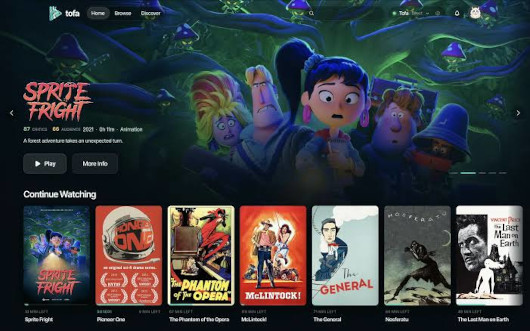
Tofa is a self-hosted media server for movies and TV series.
This QNAP-native package runs directly on QTS 6 and QuTS hero 6, without Docker or Container Station.
It packages the official Linux release and its private PostgreSQL database.
Supported architectures: x86_64 and ARM64
Web interface: http://NAS_IP:44189
Installation prefix: /opt/Tofa
Features
- Native, headless Linux server with BusyBox-compatible service management.
- Movie and TV series libraries stored on QNAP shared folders.
- Library scanning and video streaming.
- Embedded, isolated PostgreSQL database.
- Official Tofa transcoding engine.
- hardware acceleration integration with QMultimedia-Q6, according to the NAS CPU, GPU, drivers and supported codecs.
- Support for x86_64 and ARM64 NAS architectures.
- Automatic startup and controlled shutdown.
- Centralized runtime logs and diagnostic archive export.
- SHA-256-verified upstream downloads and incremental package builds.
- Persistent configuration and application data, subject to upgrade preservation.
Quick Start
- Install the QPKG built for your NAS architecture.
- Open
http://NAS_IP:44189in your browser. - Complete the initial Tofa setup wizard.
- If a setup token is requested, retrieve it privately from
/opt/Tofa/config/tofa.env. - Add your movie and TV series folders and start scanning.
Requirements
- QNAP QTS 6 or QuTS hero 6.
- Compatible x86_64 or ARM64 processor.
- Standard QNAP BusyBox utilities and
sudo. - QMultimedia-Q6 for hardware acceleration detection and drivers.
Configuration and Logs
Application data and configuration remain under /opt/Tofa.
- Configuration:
/opt/Tofa/config/tofa.env - Persistent data and database:
/opt/Tofa/data/ - Logs:
/opt/Tofa/logs/ - Debug collection:
/opt/Tofa/collect-logs.sh
Generate a diagnostic bundle using:
/bin/sh /opt/Tofa/collect-logs.shReview the generated archive before sharing because logs may contain sensitive information.
Official website: https://tofa.tv/
Last update: 30 October 2026