
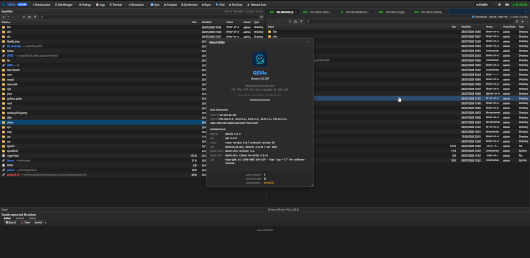
**A web-based, multi-protocol file transfer client for your NAS — a WinSCP-style
experience in the browser.** QZilla ships as a single, self-contained Go binary
with no runtime dependencies, and is designed to run directly on a QNAP NAS
(accessed over your LAN, with optional HTTPS and QNAP authentication).
Created by Qoolbox.
Released for : armv5 (arm-x19), armv7 (arm-x31, arm-x41), Intel x86 (32-bit), armv8 (arm-64), Intel/AMD 64-bit (x86_64)
## What it is
QZilla gives you a familiar two-pane file manager in your browser: your local
machine (the server QZilla runs on) on one side, and one or more remote servers
on the other. You connect to a remote, browse both sides, and move files around
by dragging, double-clicking, or using the toolbar — exactly like a desktop SFTP
client, but reachable from any device with a browser.
It is a single binary: nothing to install on the client, no database, no
external services. Just run it and open the page.
——————————————————————————-
MAIN FEATURES
——————————————————————————-
Protocols
One client for FTP, FTPS (explicit & implicit TLS), SFTP, SCP, Rsync (over
SSH), rsyncd, WebDAV, Amazon S3 (and S3-compatible endpoints), SMB/CIFS, and
NFS. Full IPv4 and IPv6 support, many cloud services (pcloud, mega, Google Drive, RapidGator, 1fichier….)
Dual-pane browser
Local and remote side by side, drag-and-drop between them, rubber-band
multi-select, sortable columns, and dark and light themes.
Background transfer queue
Uploads, downloads, and server-to-server copies run in a queue that keeps
going even if you close the browser tab, with live progress and speed.
Integrity verification
Optional SHA-256 checksum verification on transfers so you know a file
arrived intact. While a job runs its checksum, the transfer queue shows a
live “verifying” status for that item – for single-file transfers, for
copy/move via the server-side queue, and for the backup verify-after-upload –
so a long hash is never mistaken for a stalled transfer.
SSH keys made easy
Connect with OpenSSH/PEM keys or PuTTY .ppk keys (v2 and v3) – .ppk files
are converted automatically. Passphrase-protected keys are supported, and a
key pasted as a single line is repaired automatically.
Integrated terminal
A full SSH terminal in the browser (xterm.js) with copy/paste and a
multi-line paste confirmation to avoid accidental command execution.
Site manager
Save connections in colour-labelled groups, reorder them by drag-and-drop,
keep folder favourites (both per-connection and for the local pane), and
import your existing sites from WinSCP or FileZilla. For S3, a cloud-provider
picker pre-fills the endpoint/region for AWS, QNAP QuObjects, Backblaze B2,
Wasabi, Cloudflare R2, Scaleway, OVHcloud, Storj, IDrive e2 and MinIO.
Smart drag-and-drop
Drop files onto a site whose connection has dropped and QZilla reconnects and
then completes the transfer automatically. Moving a folder onto a folder of
the same name offers to MERGE the contents – keeping files that exist on only
one side – instead of replacing the whole folder.
Drop onto the path bar (breadcrumbs): every segment of the path bar is a drop
target, so you can drop the selection straight into any parent directory. The
target segment highlights clearly (bold + inverted) while you hover. Dropping
items from the same panel opens a Copy / Move choice with overwrite / merge /
apply-to-all handling; if an archive is dropped onto an exec-capable remote
session it also offers “extract after” and “delete archive after”, with a
“remember this choice for this session” checkbox. Dropping from the other
panel transfers into the segment; dropping OS files uploads into it (with the
same archive-extract options). Copy is a real copy (kept source); Move is a
fast server-side rename where possible.
Rsync mirror & verify
One-click directory synchronisation with an optional post-sync check that
reports any remaining differences, so a “mirror” really is a mirror.
iSCSI targets
Site Manager header button “iSCSI”. A guided manager for the built-in
iSCSI initiator: portal + CHAP discovery, connect, and mount as a local
block device. Mounts are read-only by default; read-write requires
confirming a red exclusive-access/corruption warning. A live sessions
list offers per-target unmount / mount / log-out. Requires iscsiadm on
the NAS and –allow-local-exec.
Duplicate / space analyzer
Toolbar button “Duplicates”. A native czkawka-style cleanup tool (pure Go,
no external binaries) that scans a local folder as a background job and
finds duplicate files (by content), empty files, empty folders and the
largest files. Symlinks are never followed and hardlinks are detected and
excluded from the reclaimable-space total. Deletion is explicit, confirmed,
never recursive, and always keeps at least one copy of each duplicate group.
It can also scan an active remote connection (SFTP/FTP/S3/WebDAV/…): only
same-size files are streamed to compare them (first 16 KiB, full only on a
partial-hash collision), so non-duplicates are never downloaded.
Network tools
Built-in TCP/UDP port scanner, network host discovery, a packet-capture
viewer, and Wake-on-LAN.
shc option tooltips: the eight -r/-v/-U/-H/-B/-D/-S/-2 flags are explained on hover.
Option tooltips
Hover tooltips (translated) clarify non-obvious option checkboxes across the
menus: recursive permissions and SetUID/SetGID/Sticky, sync & rsync mirror/
verify, backup compress/verify, Docker plain-HTTP, trust-certificate, UPX.
Duplicate finder: pause / stop / background
Pause and resume the scan, or stop it (partial results kept). The scan runs
in the background and shows in the transfer queue (“Dedup: <path>”); closing
the window keeps it running. About now shows the kubectl client version and
friendlier tool labels. Hover tooltips clarify option checkboxes.
iSCSI in the Site Manager
Save iSCSI targets as sites (protocol “iSCSI”): portal, target IQN, CHAP
method/user, mount mode/point, persistent. Connecting opens the iSCSI
manager pre-filled (not a file tab). “Saved portals” recall + “Save as
site” in the iSCSI dialog. iSCSI sites are included in config export/import
(CHAP secrets stay in /etc/iscsi, never exported).
iSCSI
Discovery works with CHAP=None (no longer blocked by iscsiadm refusing
discovery-mode auth options). A “Manual target…” button connects to a
known IQN without discovery. iSCSI actions are written to the activity log.
LXD instance/image list
“List instances” / “List images” show a clean table with an explicit
“none found” state instead of a bare CLI header, plus coloured status
badges and IPv4. Container Station diagnostics collapse the very long
lxc info api_extensions list to keep the output readable.
Docker container picker
Picking a container (remove/recreate/inspect/diagnostics/backup) shows a
coloured status badge and a filter bar (All / Running / Stopped / Paused)
with live counts, so stopped and dead containers can be hidden in one
click. The text filter searches within the selected status.
QNAP developer tools
Build QPKG packages with the QNAP Development Kit (qbuild) and compress
executables with UPX, straight from the UI.
Docker image extract
Right-click anywhere and pull a container image straight from a registry
(Docker Hub or any OCI/v2 registry, incl. private ones) and extract its
flattened filesystem into a folder (on this server or into a connected remote)
– no Docker daemon required. Preview the layer count and total size before
pulling, choose the platform for multi-arch images, and optionally use a
plain-HTTP / insecure registry. Whiteouts are handled and extraction is
confined to the target folder.
Docker file operations (Container Station)
When the docker CLI is present (QNAP Container Station) and local execution is
enabled, the local pane gains a Docker menu for file-oriented tasks: list
images/containers, save an image to a .tar, load an image from a .tar, export
a container’s filesystem to a .tar, and copy files to/from a container
(docker cp). Images and containers are chosen from a filterable clickable
list. Large operations run in the background transfer queue. Commands use no
shell.
LXC / LXD file operations (Container Station)
When the lxc CLI is present and local execution is enabled, the local pane
also offers LXD file tasks: list instances/images, show instance details (lxc info),
pull a file from an instance, push a file to an instance, export an instance
to a .tar.gz and re-import it from that backup (a full LXD backup/restore
pair), and export an image to a file. Instances and images are chosen from a
filterable list; large operations run in the background queue. As with
Docker (which adds image/container inspect), container orchestration is left
to Container Station.
Backing up containers to a remote
One click: with a remote folder open, choose “Backup image/instance to
remote” from the Docker or LXC menu. You can tick several images/instances in
the picker to back them all up at once (one independent background job each,
same options applied to all). QZilla runs the whole thing as a single
background job (it keeps going if you close the browser; progress shows in the
transfer queue): it exports the image/instance to a temporary archive, streams
it to the remote while computing a SHA-256, verifies the uploaded size, then
deletes the local temporary file. Under the hood it uses LXD’s native
full-instance backup (lxc export/import) or a Docker image (save/load), so the
archive is a real, portable backup. Restore is the reverse and also one click: select the backup archive on the
remote, choose “Restore image/instance from remote”, and QZilla downloads it
(verifying the byte count and computing a SHA-256) then runs docker load /
lxc import — again as a single background job with progress in the queue.
Compression & encryption: the backup dialog can gzip the archive (Docker
images; LXD exports are already compressed) and encrypt it with age
(compress-then-encrypt). Two encryption modes:
– Passphrase (scrypt): simple; the passphrase is needed to restore.
– Public key (age recipient, “age1…”): encrypt to a public key so NO
secret travels in the request — ideal for plain-HTTP/automated setups. A
“Generate a key pair” button creates a recipient (public) and identity
(private) key; store the private key safely, it is required to restore.
Restore auto-detects an encrypted archive and asks for the passphrase OR the
private key (values starting with AGE-SECRET-KEY- are treated as a key).
Secrets are used only in memory and never logged. Without the passphrase or
private key an encrypted backup cannot be restored.
Verify after upload (optional): re-download the uploaded archive and compare
its SHA-256 to what was streamed, for true end-to-end integrity. This doubles
the transfer, so it is off by default.
SHC (compile a shell script to a binary): right-click a .sh/.bash file in the
local panel and choose “Compile with SHC” (shown only when the shc compiler is
installed and local execution is enabled). A dialog exposes shc’s options —
output name, expiration date (-e) and message (-m), redistributable (-r),
verbose (-v), untraceable (-U), hardening (-H), BusyBox (-B), debug (-D),
setuid (-S), mmap2 (-2), and the advanced interpreter options (-i/-x/-l). shc
generates C and compiles it with the system cc; the resulting binary and its
generated .x.c source appear next to the script. QZilla runs shc with an argv
array (never a shell); paths are confined to the local root, the output is a
bare filename, and the expiration date is format-checked.
Retention/rotation (optional): set “Keep last N” in the backup dialog to keep
a history. When N>=1, backups are timestamped ([email protected]) so
versions accumulate, and after each successful backup QZilla prunes the oldest
ones beyond N. Pruning only ever deletes files matching that exact
name@timestamp pattern for the same item in the same folder — nothing else.
N=0 (default) keeps the previous behaviour (fixed name, overwrite).
Git integration
When git is installed and local execution is enabled (–allow-local-exec),
right-click a local repository for a Git menu: status, log, diff, staging and
commit, fetch / pull / push, branches, checkout (branch/tag picked from a filterable list), stash, remotes and tags,
plus guarded discard / reset –hard / clean. Commands run with no shell (no
injection) and non-interactively, so they never hang on a credential prompt.
Security by default
Serves HTTPS out of the box (a self-signed certificate is generated on first
run; you can upload your own). The configuration file is AES-GCM encrypted
and secrets are additionally encrypted per field. Optional QNAP administrator
authentication and optional local web login. The local file browser can be
confined to a single directory.
Clear, translated notifications
Server errors are mapped to clear, actionable messages (bad credentials,
changed host key, unreachable host, mount failure, and more) – translated
into all supported languages.
14-language interface
English, French, Spanish, German, Italian, Portuguese, Russian, Chinese,
Japanese, Korean, Arabic, Hindi, Polish and Turkish.
All notification (toast) and error messages are translated, clear and
actionable; the set is kept at full key parity across every language.
Recreate a Docker container with changes
“Recreate with changes” reads a container’s settings (docker inspect),
pre-fills the create dialog, and — after you edit and confirm — safely
replaces it: the old container is stopped and kept as a backup until the new
one is created, with automatic rollback if creation fails.
Create containers & instances
Create a Docker container from a dialog (image, name, ports, volumes,
environment, restart policy, network; optionally start it right away) and
create an LXD instance (image, name, project, profile, container or VM;
launch or init). Edit an LXD instance’s full configuration as YAML in-app.
Note: an existing Docker container cannot be reconfigured in place (only
limits via update, and rename) — change ports/volumes/env by recreating it.
Kubernetes (Container Station k3s)
A Kubernetes menu appears when kubectl is available. Pick a namespace, then
list pods / deployments / services, describe a pod, view pod logs, and (with
confirmation) delete a pod, restart a deployment (rollout) or scale it. Runs
kubectl argv-only and only when local execution is enabled.
Container lifecycle & consistent backups (Docker & LXD)
Start, stop, restart, pause/unpause, rename and remove Docker containers, and
start/stop/restart/delete LXD instances (project-aware), straight from the
Docker / LXC menus. View an instance’s LXD configuration with “Show
configuration”. Destructive actions ask for confirmation.
Backups: a running LXD instance can be backed up “hot” (crash-consistent) or,
with the new option, quiesced — QZilla stops it for the duration of the export
and restarts it afterwards for a clean, consistent archive. (Docker backup here
is `docker save` of an image, which is already static.) Note: Docker containers
cannot be reconfigured in place; Kata containers use the same Docker commands.
iSCSI initiator (backend; UI in progress)
A real open-iscsi initiator is being integrated: target discovery
(SendTargets), CHAP and mutual CHAP, persistent login, and mounting a LUN’s
filesystem read-only (default) or read-write. Read-write is refused unless the
exclusive-access / corruption risk is explicitly acknowledged. Runs argv-only
and only when local execution is enabled (–allow-local-exec); requires
iscsiadm (open-iscsi) on the NAS. The Site Manager UI is landing next.
– The encryption key for the configuration is stored in <data>/.key.
Keep it
safe: losing it means losing access to saved passwords and keys.
Last update: 6 September 2026