
StorageDiag Utilities_
StorageDiag Utilities (SDU) is the local-only edition of the live tools from StorageDiagLV, installed directly on the client — your QNAP NAS — from the sdu.qpkg package. Everything runs on that box and reads its own data: SMART/FARM straight from the live drive, /proc, network interfaces, RAM.
This is not a log-dump reader — it is an active workbench. The unprivileged web panel never runs commands itself; it hands operations to a trusted daemon running as root, drawn only from a fixed, allowlisted set of operations (configuration can only disable them, never add). Built for support engineers and admins who need to confirm and act on a live machine.
◆ Pulse — performance & process cockpit
CPU/RAM/load meters, a process tree with actions (kill, renice, CPU governor, drop caches) and tabs for network, VMs, databases, logs and a Wireshark-style packet analyzer (recognises SMB, torrents/DHT, SSDP, QNAP discovery; minimap, bookmarks, IP→host resolution).
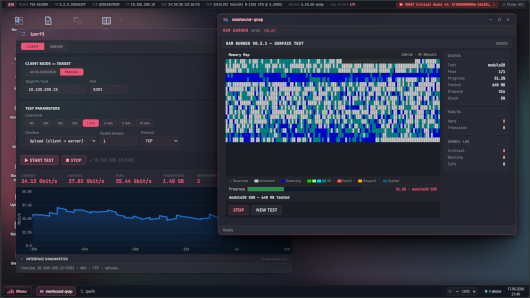
◆ memhound — RAM tester
An original memory tester with memtest86-style patterns plus a fast test. Its principle: never a false positive — a flagged fault is real to ~99.999%.
◆ iostat — I/O monitor & benchmark
Live per-disk throughput, latency and IOPS, plus a Disk Health Scan that pinpoints the weak disk dragging down a whole RAID.
◆ DriveTime — SMART/FARM history
An hourly collector builds a time-series of every disk’s attributes — see a value climbing before it trips a hard limit.
◆ iperf3 — network throughput
Bandwidth and retransmits between two NAS units.
◆ vpn-diag — VPN diagnostics
VPN link quality: MTU, jitter, loss, bandwidth and stability.
◆ Terminal (root)
An interactive root shell on the NAS (admin only), through the daemon.
◆ Cheats & Utilities
A palette of ready-to-run recovery/diagnostic commands (Storage, LVM, ZFS, System, Network…) you paste into the Terminal — no memorising.
Requirements
only QTS 5.2+ / QuTS hero
Last update: 20 July 2026