
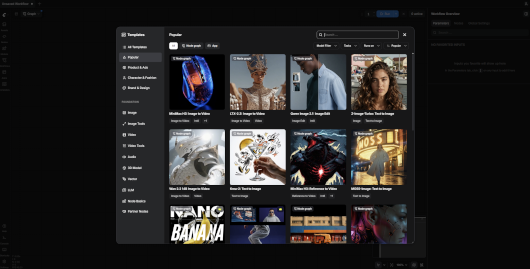
ComfyUI brings the powerful, open-source ComfyUI generative AI platform directly to QNAP NAS devices, without Docker or Container Station.
ComfyUI provides a flexible, node-based workflow interface for creating, processing and enhancing AI-generated content. Users can connect models, samplers, prompts and processing nodes to build advanced generation pipelines directly from their NAS.
This native QNAP integration is designed for reliable, persistent operation under QTS 6 and QuTS hero 6, with optimized storage management, NVIDIA GPU detection and seamless App Center integration.
Key Features
- 100% Native Installation: Runs directly on QNAP NAS without Docker, containers or virtualization.
- Visual AI Workflows: Create and customize node-based workflows for image generation, image-to-image processing, inpainting, upscaling and other supported AI tasks.
- Broad Model Compatibility: Supports ComfyUI-compatible model architectures, including Stable Diffusion, SDXL, FLUX and other models supported by the installed ComfyUI release.
- NVIDIA GPU Detection: Detects GPU devices, NVIDIA kernel drivers, installed runtime components and actual PyTorch CUDA availability.
- Automatic CPU Fallback: Continues operating in CPU mode when CUDA acceleration is unavailable.
- Optimized Local Storage: Models, workflows, generated images, configurations and reusable caches remain on persistent NAS storage.
- Intelligent Temporary File Management: Temporary files and runtime sockets are automatically cleaned up during service shutdown.
- Native QNAP Integration: Integrated with QNAP App Center, including start, stop, restart and Web UI launch.
- Smart Startup Screen: Displays a modern waiting page while Python, PyTorch and custom nodes initialize, automatically opening ComfyUI when the service is ready.
- Custom Nodes: Supports additional ComfyUI extensions and custom workflows.
- Persistent Logs and Diagnostics: Provides service logs, GPU diagnostics and storage verification tools.
- EXT4 and ZFS Compatibility: Designed for both QTS and QuTS hero storage environments.
NVIDIA GPU Acceleration
ComfyUI Q6 includes dedicated GPU detection designed for QNAP environments.
It checks the NVIDIA driver registered in QNAP, loaded kernel modules, GPU device nodes and functional CUDA acceleration through PyTorch.
The presence of NVIDIA Container Runtime alone is not sufficient: the NVIDIA kernel driver and compatible CUDA libraries must also be operational.
When no compatible NVIDIA GPU is available, ComfyUI automatically switches to CPU execution. CPU generation may be significantly slower, depending on the model and NAS processor.
Storage and Data Protection
All application-managed data is stored inside the QPKG installation directory.
Models, workflows, user preferences, generated images, logs and reusable caches are preserved across restarts and application updates.
Temporary files and runtime sockets are removed when the application stops, helping prevent unnecessary use of the QNAP system ramdisk.
This design supports reliable operation on both EXT4 and ZFS volumes.
System Requirements
- QNAP NAS with x86_64 processor
- QTS 6.x or QuTS hero 6.x
- Sufficient system memory and available storage for the selected AI models
- NVIDIA GPU with compatible QNAP kernel driver for optional CUDA acceleration
- Network access to download the required models
- Modern Web browser
Python 3.13 and PyTorch are included in the native application build. Docker and Container Station are not required.
Access and Security
After installation, open ComfyUI directly from QNAP App Center or visit:
A dedicated startup gateway displays an informative loading screen until the ComfyUI service is ready.
Security notice: ComfyUI does not include built-in user authentication. Access should be restricted to trusted networks, a VPN or an authenticated reverse proxy. Do not expose the Web interface directly to the Internet.
Project Information
Official ComfyUI Website:
https://www.comfy.org/
Original Source Code:
https://github.com/Comfy-Org/ComfyUI
Official Documentation:
https://docs.comfy.org/
Original Project License:
https://github.com/Comfy-Org/ComfyUI/blob/master/LICENSE
Disclaimer
ComfyUI Q6 is an independent native QNAP integration of the open-source ComfyUI project.
It is not an official QNAP or Comfy Org product.
GPU acceleration depends on NAS hardware, installed NVIDIA drivers and CUDA compatibility. Additional custom nodes and AI models may have their own dependencies and licenses.
Turn your QNAP NAS into a local AI creation workstation — with native ComfyUI workflows, persistent model storage and no Docker required.
Last update: 17 November 2026