

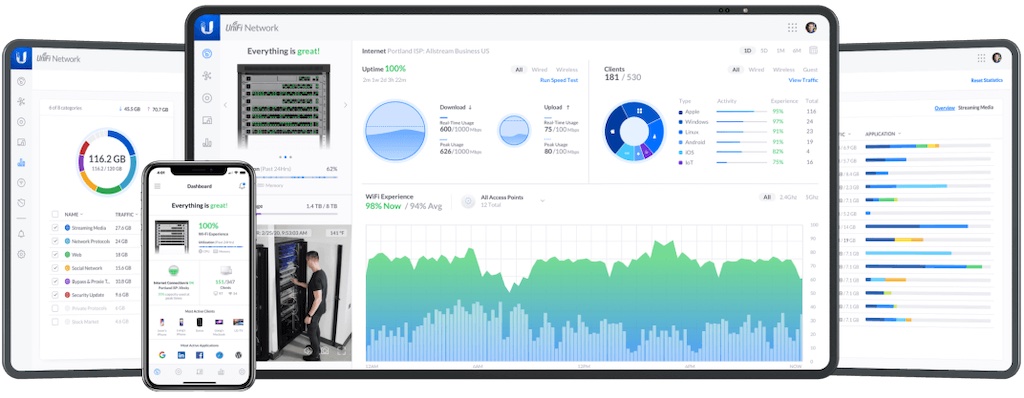
The UniFi Controller (UniFi Network Application) is powerful software for high-density client deployments requiring low latency and high uptime performance. A single UniFi Controller running can manage multiple sites: multiple, distributed deployments and multi-tenancy for managed service providers.
The first install can be very long (if you have an error 404 please wait)
TIP ME !
Your gratitude and finances will help me to continue integration of this QPKG and maintain up-to-date versions.
Your gratitude and finances will help me to continue integration of this QPKG and maintain up-to-date versions.

Last update: 11 September 2026




Annihilator –
You seem to have forgotten to upgrade the bundled MongoDB to at least 2.6, as is required by the revision of UniFi Controller:
./mongod –version
db version v2.4.9
/UniFi/logs/server.log:
Got error while connecting to db: Server at localhost:27117 reports wire version 0, but this version of the driver requires at least 2 (MongoDB 2.6).
bertoncelj –
Upgrading from version 7.3.83, I get an error: “Failed to install Unifi 7.4.156.0. You must first install and start MongoDB4.”
QoolBox –
Mongodb4 package is availalbe on QPKG store
annoyed –
This really annoying thing about these failed upgrades… is the automatic backups for unifi controllers do NOT include the password. So you restore from one of the automatic backups and then can’t log into the controller. Which means unless you have a full manual backup from before the upgrade failed… you are screwed. And having to set up the site completely from scratch!
kris –
Upgrading Unifi to MongoDB version my pass is no longer working. How can I reset?
Luca –
It doesn’t work after updating from 7.3.83.
Jens H –
worked like a charm on our qnap with intel CPU.
1) Create Backup of the unifi settings
2) Uinstall the old version
3) then install mongodb4 with this package: https://www.myqnap.org/product/mongodb/. Note: This is a native verison and not a pain-in-the-ass-docker image which will cost your half lifetime.Just install it manually as an qnap app and it’s done. No configuration necessary.
4) Install Qoobox Unifi installation package.
5) Wait some minutes the open the app. If you get an HTTP STATUS 404-Not found-Error: Just wait longer and then reload the page.
6) Restore Backup. Wait some minutes. The refresh/restart of the app never works. Just give it enough time. Then stopp the Unifi App in QNAPs AppCenter and start it again.
Jan –
Great app and I hope there will be some updates in the future :).
Max –
Had the same problem as others with the upgrade from an earlier release, but the instructions Jens H provided solved it 100%. I’m hoping to see 7.5 here in the near future. People are saying the UI has some improvements.
udog –
Works great, thank you. When will be Version 8 available?
Merci –
Awesome work! Are you going to make a package 8.0.24? Merci!
nicolaimadsen91 –
Installed with Mongo on a fresh new disc. Been stuck on “error 404” for two days now. Reinstall or stop/start app doesnt work. Earlier version worked fine on my older (now dead) disc.
G-unit –
latest version Unifi_8.0.26.0_x86_64 trashed my network because USG required
Am –
Upgrade to 8.0.28 kills my installation, seems that all users and Passwords are reset or invalid no login possible. Unusable Installation after the upgrade. 🙁
QoolBox –
works fine on my NAS…
Eli –
Had to upgrade the RAM in my TS-469U before getting this to work smoothly but so far so good! Migrated over from a Cloud Key V1 that is now End of Life, all I had to do was restore a backup and then SSH into all my Unifi devices and used the command “set-inform http://newIPofController:8080/inform”. Cheers!
Striekertie –
Hello Qoolbox,
Any change for the 8.1.113 version
QoolBox –
it is following the Unifi update
for issue come on our Discord Channel
Striekertie –
Where do I find it?
Oxize –
Can you update to the lastest offical release please? How to get new version?
zhir –
Need update to latest version. Thanks.
QoolBox –
done
Martin –
Any chance you could update to the latest version “Network 8.3.32” ? I cannot use my site export as it is a newer version than the current controller.
thanks
QoolBox –
updated , better request on discord Channel, anyway thanks for the ping
phoenix –
Hey, there is new version, pls update.
QoolBox –
updated , better request on discord Channel, anyway thanks for the ping
Me –
Hello, pls update to new version. Thx.
QoolBox –
Will be updated soon, please do request on discord channel instead in QPKG comment
Stone –
Hello, I installed it and it started normally. But my original local username and password cannot log in. May I ask what my username and password are?
Leif –
Works great. If you hit any issues, look in /share/CACHEDEV1_DATA/.qpkg/Unifi/UniFi/logs/server.log. When you start it up, you can do tail -f on that file to follow the progression of the start-up.
Xx –
There is new version of controller – pls update.
QoolBox –
done
Hl –
Colud you update the last version please
QoolBox –
it is already the latest v9.0.114
https://www.ui.com/download
Jason –
Thanks for all the work you do for providing the qpkg. I do believe the version number on the latest update is incorrect. It should be 9.1.120, I have installed the file labeled 9.0.120 and the version doesn’t match what is installed.
QoolBox –
indeed typo error on versioning will fix it on next version
Rolf –
Vielen Dank, wo und wie kann ich das Projekt QNAP Controller unterstützen?
Seth –
I was thrilled to find this. It’s a great always-on solution for managing the two used AC Pro access points and US 8 60W switch on my home network. No need to buy another UniFi device that runs the Network software, or contend with the clunky Windows application (which doesn’t support installing as a service, so requires a user session to be running). Works perfectly on my TS-469L.
Thanks so much, QoolBox, for keeping this up to date! 🙂
Tom –
This works great, many thanks well done! One thing though, the inform command to move devices to this controller (if you had another controller previously) is not using port 8080 as this conflicts with the NAS ports. The port to inform is 38190 so your URL to inform looks like:
set-inform http://:38190/inform
Harrald –
Is unifi os also coming as qpkg?
John –
Thanks QoolBox, this Unifi Network Controller has worked well on my setup.
I note that Ubiqity is phasing this software out, and suggests we migrate to UniFi OS Server.
see https://help.ui.com/hc/en-us/articles/34210126298775-Self-Hosting-UniFi
Are you planning to port UniFi OS Server to a qpkg we can download from MyQNAP?
QoolBox –
if it is a full OS, it will not be possible, maybe with a virtualisation station if it is provided as an ISO.
QoolBox –
think it will be end for this QPKG : it needs packet manager apt … seems to be running under a podman virtualization service.
“sudo apt-get update && sudo apt-get install podman slirp4netns.”
Jeremy –
User error. Restarted NAS, uninstalled and reinstalled UniFi controller, and it started up properly allowing me to upload my backup settings file and everything worked fine after that.