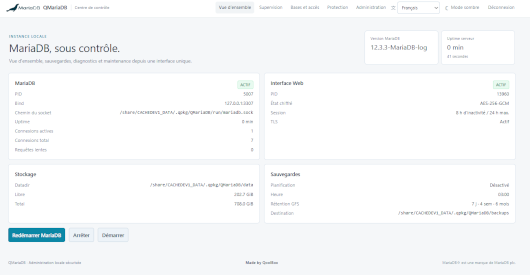
QMariaDB brings a complete, self-contained MariaDB Server environment to QNAP NAS, with a modern Web administration interface designed specifically for QTS and QuTS hero.
It provides an independent MariaDB installation without interfering with the database services included in QTS, together with secure first-run configuration, database management, monitoring, backup/restore and maintenance tools.
Main features
- Complete MariaDB Server distribution
- Native x86_64 and ARM64 support
- Designed for QTS 6 / QuTS hero 6
- Modern, lightweight and responsive Web UI
- Light & Dark themes
- 20-language interface
- Secure first-run installation wizard
- Automatic database port selection
- Local UNIX socket and TCP connections
- Database and table creation directly from the Web UI
- Database dump Import / Export
- Connected clients and active sessions monitoring
- Performance, health and storage monitoring
- User and privilege management
- Backup & Restore management
- TLS/SSL support
- Maintenance and upgrade tools
- Detailed logs and Audit Trail
- QTS Notification Center integration
- No CDN, telemetry or external cloud dependency
- Configuration and database data remain locally on the NAS
- Upgrade-safe persistent configuration and data
QMariaDB is designed to remain independent from the MariaDB/MySQL services provided by QTS, making it suitable for Web applications, development environments, self-hosted services and other applications requiring their own MariaDB instance.
Quick Start
- Install QMariaDB from MyQNAP.org and start the application.
- Open the QMariaDB Web interface from QTS App Center.
- On first launch, retrieve the setup token from the QTS system logs / Notification Center — no SSH access is required.
- Follow the Web setup wizard to create the administrator account and initialize MariaDB.
- Once initialization is complete, sign in to the Web UI and create your databases, users and tables.
By default, QMariaDB favors local access for the database service. Network access can then be configured from the Web administration interface according to your requirements.
Last update: 24 September 2026