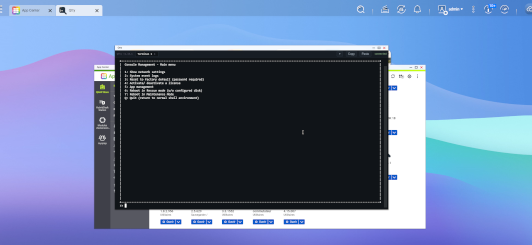
Qtty (pronounced “Cutie”) is a secure, self-contained web terminal for your NAS—open a real shell from any browser, no SSH client required.
Key features:
- Multiple tabs — run several independent shell sessions side by side, each with its own working directory and environment
- Sessions survive disconnects—closing a tab, a network hiccup, or reloading the window doesn’t kill your shell; reconnect and pick up right where you left off (same directory, same running process)
- Drag-and-drop file upload — drop a file straight into the terminal window; it lands in the shell’s current directory with SHA-256 verification and a live progress bar (credential : admin + HOSTNAME of the NAS)
- Copy & paste that just works — select-to-copy, keyboard shortcuts, and multi-line paste that preserves indentation exactly
- Hardened by default — HTTP Basic Auth with PBKDF2-hashed credentials, per-IP rate limiting, CSRF/origin protection, and a strict Content-Security-Policy
- Zero runtime dependencies — a single static Go binary, no interpreter or package manager needed on the NAS
- Cross-platform — pre-built for x86_64, x86, ARMv7 (armhf), ARMv5, and AArch64
TIP ME !
Your gratitude and finance will help me to continue integration of this QPKG and maintain up to date versions.
Your gratitude and finance will help me to continue integration of this QPKG and maintain up to date versions.

Last update: 5 October 2026