Silas Diagnostic Log Viewer (SDLV)
The QNAP NAS diagnostic workbench — turn a diagnostic ZIP into a root-cause, right in your browser.
QNAP support cases usually start the same way: a customer sends a diagnostic bundle, and you’re left scrolling through a 20 MB klogd_dump.log, an 80,000-line event CSV, dozens of SMART files and a sprawling HTML report — in separate tabs, by hand. SDLV collapses all of that into a single desktop-style dashboard.
Upload the diagnostic ZIP and SDLV extracts it, detects the device(s) and firmware, and fans the contents out into ~25 purpose-built viewers — each a draggable, resizable window. Everything is cross-linked: a SMART-critical disk in the title bar jumps you to the drive card; an OOM event links to the offending process; an incident on the timeline expands into the exact kernel and event-log lines that produced it.
Behind every viewer is a curated pattern engine: 180+ hand-built signatures (ATA link failures, NCQ errors, uncorrectable reads, RAID degradation, filesystem and controller faults, and more) matched live against the kernel and event logs, each tagged critical / warning / info with an explanation of cause and impact. Edit, import and export the whole set from the built-in Pattern Editor.
And when you have live access to the NAS, the optional privileged daemon turns SDLV from a post-mortem tool into a live lab — fio benchmarks, iperf3 transfers, streaming iostat, RAM surface scans and VPN/MTU probes, all in the same dashboard.
Who it’s for
QNAP support engineers & resellers triaging customer diagnostic bundles
NAS administrators & homelab power users chasing a flaky disk, an OOM, or a network stall
Storage / data-recovery specialists who need fast, trustworthy SMART, RAID and pool topology reads
🩺 Dr. Trace — incident correlation timeline
The signature view. SDLV merges the kernel log and the full event log onto one zoomable lifeline spanning the machine’s whole history, then auto-groups the noise into incidents across power · storage · network · SMART · system lanes. A movie-cut scrubber replays the exact window around a failure, with the merged log pinned below.
💽 S.M.A.R.T. Disk Health
Brand-aware drive cards (Seagate, WD, Toshiba… logos resolved automatically), QNAP HCL verification, enclosure/slot mapping, and expert per-attribute tooltips that explain each attribute’s cause, impact and vendor-specific interpretation — so “Seek Error Rate 79” becomes an actual decision.
🗄️ Storage topology — LVM · DRBD · ZFS · RAID
SSD-cache groups with mode (Read-Only / Read-Write), per-enclosure drive maps with capacity and type badges (NVMe / Enterprise / consumer), software RAID (mdstat) arrays and DRBD resources — the whole storage stack at a glance.
🧠 Memory & OOM · 🧩 Process Explorer
RAM/swap bars, a full DIMM inventory with mixed-capacity warnings, and decoded OOM-killer events — plus a process tree of hundreds of processes grouped into readable kernel-thread families, with live per-core CPU and zombie / OOM-kill counters.
🔎 Pattern engine + editor
180+ failure signatures matched live in dmesg and log_tool, organised by severity. Add, edit, enable/disable, and import/export the entire set as JSON — your detection knowledge becomes a portable asset.
⚡ Live diagnostics (optional on-NAS daemon)
Same dashboard, live machine:
Storage Benchmark (fio) — per-volume presets (sequential / random, queue depths, file size)
iostat streaming — live per-device await / IOPS / throughput / utilization charts
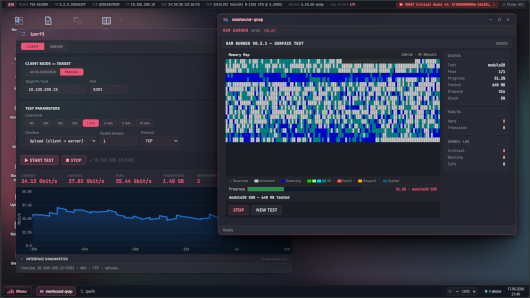
iperf3 — auto-discover or manual targets, client/server, multi-stream throughput
memhound — RAM surface scanner with a live memory map (x86_64 / aarch64 / armhf)
vpn-diag — link/latency/MTU/MSS probe with a health score and actionable warnings
Everything in the box (~25 viewers)
Group Viewers
Logs & timeline Kernel Log (dmesg), Event Log, Var Logs, Crash Dump, Dr. Trace, Timeline, Diagnostic Insight
Storage S.M.A.R.T. Disk Health, LVM & DRBD, ZFS, Disk History, Snapshots, iSCSI, Storage Benchmark (fio), iostat
System Overview, Memory & OOM, Process Explorer, HW Info, Network, Virtual Machines, Containers, Apps (QPKG), Shares (SMB), HTML Files
Live network & RAM iperf3, memhound, vpn-diag
Workbench Pattern Editor, Upload ZIP, File browser, Browser Extension (QLA Bridge), Plugins
Requirements
QNAP NAS with firmware 5.2+, Web Server enabled, and the required PHP extensions installed from the App Center.
Last update: 19 June 2026