
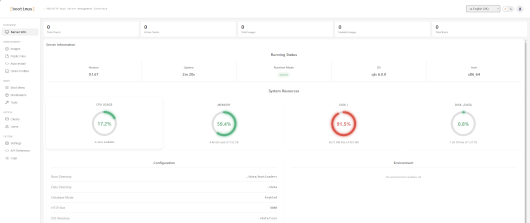
Complete enhanced version of the PXE server supporting booting from ISOs
The admin password is sent in NAS event logs on first launch (or in p.txt in /opt/Bootimus). Change it after first login.
Features
- Single binary, zero config: Everything bundled – bootloaders, web UI, database. Just run it
- Standalone PXE: Built-in proxyDHCP responder lets Bootimus drive PXE on any LAN without touching the existing DHCP server
- 50+ distro support: Automatic kernel/initrd extraction with a generic fallback scanner for unknown ISOs
- Unattended Windows install (opt-in): PXE-boot Windows 10/11 end-to-end — Bootimus hosts the install media over SMB and auto-launches
setup.exe. Requiressambaon the host (bundled in the Docker image) - Built-in diagnostic tools: GParted, Clonezilla, Memtest86+, SystemRescue, ShredOS, Netboot.xyz – one-click download and enable from the admin UI
- Custom tools: Add your own PXE-bootable tools with configurable boot methods (kernel, chain, memdisk)
- Per-client access control: Assign specific images per MAC address, toggle public image visibility per client
- Client auto-discovery: Clients are automatically detected when they PXE boot, like DHCP leases – promote to static when ready
- Next boot action: Set a one-time boot image for a client with optional Wake-on-LAN – auto-clears after use
- Hardware inventory: Automatic collection of CPU, memory, manufacturer, serial number, and NIC info from PXE clients
- JWT authentication: Secure token-based auth with a dedicated login page
- LDAP/Active Directory: Optional LDAP backend with group-based admin access – local accounts always work as fallback
- Swappable bootloaders: Ship with embedded iPXE, or bring your own custom bootloader sets
- Modern admin UI: Sidebar navigation, consistent toolbars, real-time colour-coded logs, REST API
- Multi-database: SQLite out of the box, PostgreSQL for production
Last update: 18 August 2026